3 Billion Images a Week: ChatGPT Image Editor Online Free Guide
The ChatGPT image editor is free online on every plan, but each edit uses your image limit. Here is how to edit photos step by step with Images 2.5, write better prompts and what the GPT-Image-3 tests mean.
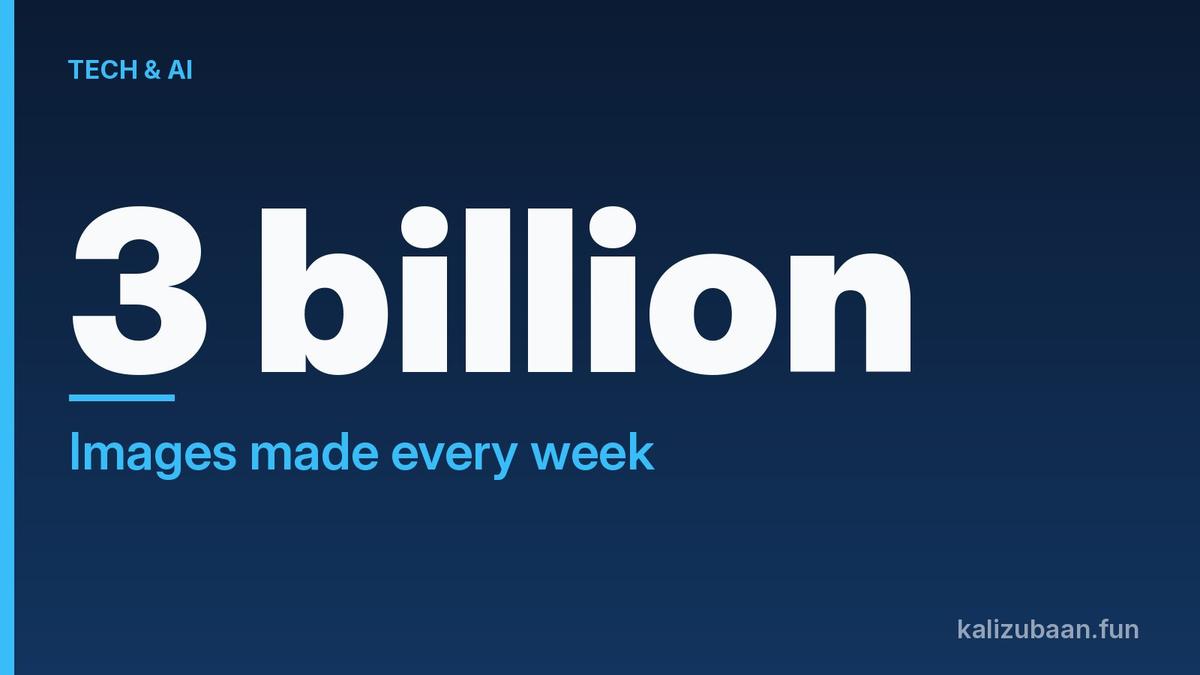
More than 3 billion images a week are now made across ChatGPT and OpenAI's image API. Many people use it as a ChatGPT image editor online free of cost, to fix a photo, swap a background or add text.
Here is the catch most users find out too late: every edit counts as a brand-new image against your limit.
Quick answer
- The ChatGPT image editor runs on Images 2.5, which OpenAI rolled out to every tier, including free, on desktop, mobile and web.
- To edit, upload or open an image, select the area or describe the change, and say clearly what must stay the same.
- Free accounts have a separate image limit. OpenAI does not publish the number, and edits use the same allowance as new images.
- OpenAI appears to be testing a next image model, possibly GPT-Image-3, but nothing is announced.
Is the ChatGPT image editor free to use online?
Yes, the editor is available on the free plan, but free accounts get a small, unpublished image allowance that resets after a countdown.
OpenAI says Images 2.5 is rolling out to ChatGPT, ChatGPT Work and Codex users on every tier, across desktop, mobile and web (TNW).
The limit is the part to plan around. Image generation has its own limit, separate from chat, so you can keep chatting after you run out of images.
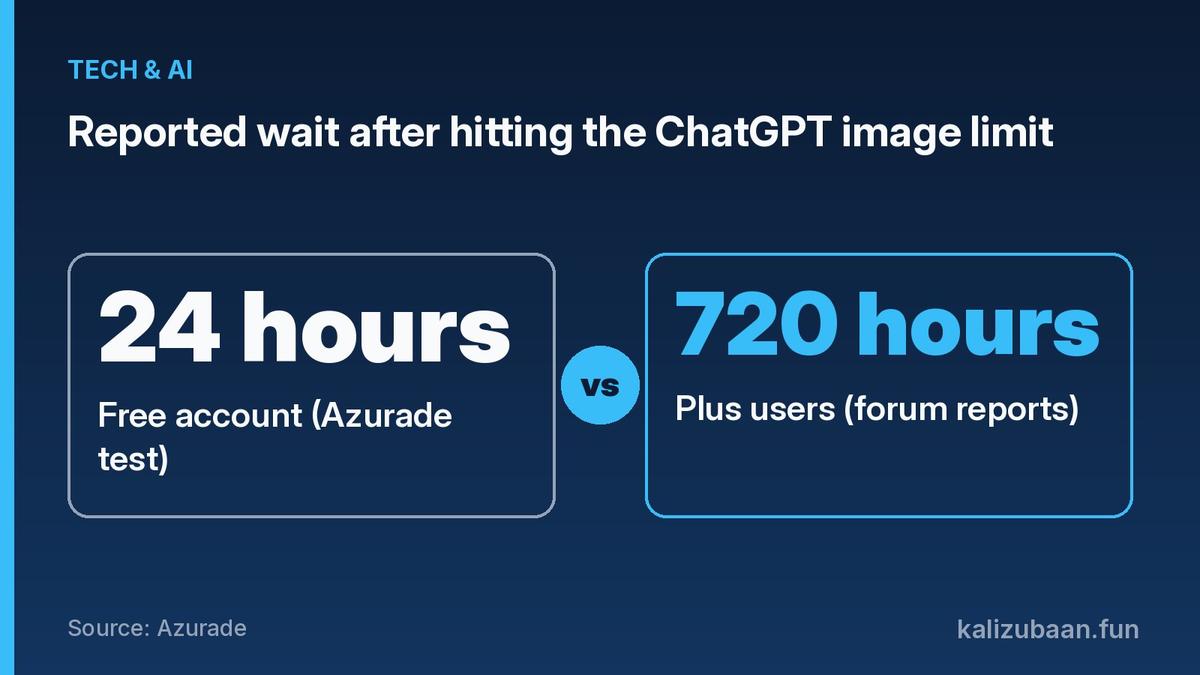
When Azurade ran a free account into the limit on September 29, the countdown said 24 hours (Azurade). It found no fixed daily number on OpenAI's help pages. Third-party guides estimate 2 to 3 images a day, but treat that as a guess.
Azurade sells its own pay-per-image tool, so read its advice on alternatives with that in mind. Its notes on the ChatGPT limit messages are still useful.
How do you edit an image in ChatGPT, step by step?
Attach the image, describe one clear change, and say what must stay fixed; for a small area, select that area first.
ChatGPT's own guide says to attach a reference image to the composer when you want ChatGPT to edit it, and to say exactly what should change and what must stay the same (ChatGPT Learn).
Follow these steps on the web or app:
- Open a chat and attach your photo, or pick an image ChatGPT already made.
- Select the generated image to open the expanded viewer.
- To fix one spot, select that area of the image and describe the change for it.
- In Canvas view, use Comment to leave precise feedback on one or more images. Multi-select lets you pick several images at once.
- Send the instruction, check the result, and repeat with the next small fix.
Good edit instructions are short. Try "Make the sky darker, keep the people, colours and crop the same."
Here is why the limit matters so much when you edit:
Source: Azurade
Paid plans are not unlimited either. Plus subscribers on OpenAI's forum posted a countdown of 720 hours, which is 30 days, in August 2025.
What most guides miss: OpenAI's guide says to change one element at a time so the picture does not drift. On a free plan, every one of those edits uses the same quota as a new image. So write each instruction carefully and check it twice before you send it, because a vague edit can cost you an attempt.
What changed in ChatGPT Images 2.5?
Images 2.5 brought sharper detail, more precise editing and up to 50% lower latency than Images 2.0, plus new Sketch, template and comment tools.
TNW reports the new features are mostly interface work: Sketch lets you draw in ChatGPT as a reference, templates give starting formats such as posters and merchandise, and comments can be placed directly on an image (TNW).
You can also share the prompt behind an image, so someone else can run it with their own photos.
For developers, there are two new API models. GPT-Image-2.5 Flare is the default. Sunburst is slower but gives more control for detailed creative work.
Adobe has already put the new models inside Firefly. Going the other way, more than 70 Adobe tools are available inside ChatGPT.
OpenAI says it adds C2PA metadata and invisible watermarking to images. TNW points out that platforms often strip metadata, so do not assume a mark will survive a screenshot.
How do you write prompts that edit only what you want?
Use one to three clear sentences, name the subject and the change, and repeat anything that must not move.
ChatGPT Learn says a useful image prompt is often only one to three clear sentences, and it suggests concrete visual language, such as where the light comes from, rather than "beautiful lighting" (ChatGPT Learn).
A few rules that save attempts:
- Say what stays. "Keep the face, pose and background unchanged."
- Text in quotes. Put the exact words in quotation marks and describe font, size, colour and placement. Spell out unusual names letter by letter.
- Use references with labels. If one photo sets the content and another sets the style, say which is which and use words like foreground, left and right.
- Check every word on posters or dense layouts, and finish them in a design tool if the text matters.
Be careful with real people. The guide says to confirm you have permission to use someone's likeness, and to ask for original designs instead of copying a brand or artist.
Is GPT-Image-3 coming to ChatGPT?
Possibly, but nothing is official: OpenAI has not announced a new image model, and there is no documentation or pricing yet.
TestingCatalog spotted three model names, aurora-red-alpha, aurora-green-alpha and aurora-blue-alpha, that briefly appeared in OpenAI's API and then showed up in blind arena tests (TestingCatalog).
In those tests, the red model ran faster with lower quality, and the green one was slower but looked better. TestingCatalog and the tester Lumina Bench both guess this is GPT-Image-3, but it remains a guess.
For now, the editor you get in ChatGPT is Images 2.5. If a new model arrives, the editing steps above should still apply.
FAQs
Is the ChatGPT image editor free?
Yes. Images 2.5 is available on every ChatGPT tier, including free. Free accounts have a separate image limit, and OpenAI does not publish the exact number.
Do edits count toward the ChatGPT image limit?
Yes. ChatGPT's limit messages mention "image generations and edits", and each edit request is treated as a new generation.
How long is the ChatGPT free image limit reset?
It follows the countdown in the message. On Azurade's free test account, it was 24 hours.
Can ChatGPT edit only one part of a photo?
Yes. Select the area and describe the change, or say exactly what should change and what must stay the same in your prompt.
Is GPT-Image-3 released?
No. OpenAI has not announced it. Only unnamed test models have been spotted in arena tests.
Features and limits change often and can differ by plan and app. Check the limit message in your own account before relying on any number here.
Related reading
- 4-Digit PIN Locks Your ChatGPT Chats. Forget It, Lose Them All
- 13 New Voices: ChatGPT Hindi Now Talks as Neer and Leher
- 8 States Sue OpenAI Over ChatGPT Child Safety Claims
Sources
Tagged Topics
Keep reading
Thanks for reading Kali Zubaan
Explore more articles in Tech & AI or return to the main publication feed.