10 Minutes: How to AirDrop From Samsung to iPhone, Explained
How to AirDrop from Samsung to iPhone: turn on Share with Apple devices in Quick Share, ask the iPhone user to set AirDrop to Everyone for 10 minutes, and check your Galaxy is on the list.
A Galaxy A56 owner installs One UI 9, opens Quick Share and finds a switch Samsung never mentioned in the changelog: Share with Apple devices. Flip it, and photos go straight to an iPhone, with no WhatsApp compression and no Google Drive link.
That quiet change is why so many people are now searching how to airdrop from samsung to iphone. Samsung's own holiday buying guide now says Quick Share supports AirDrop-compatible sharing between Galaxy and iOS devices, and One UI 9 has started reaching more Galaxy phones in India this month.
Quick answer
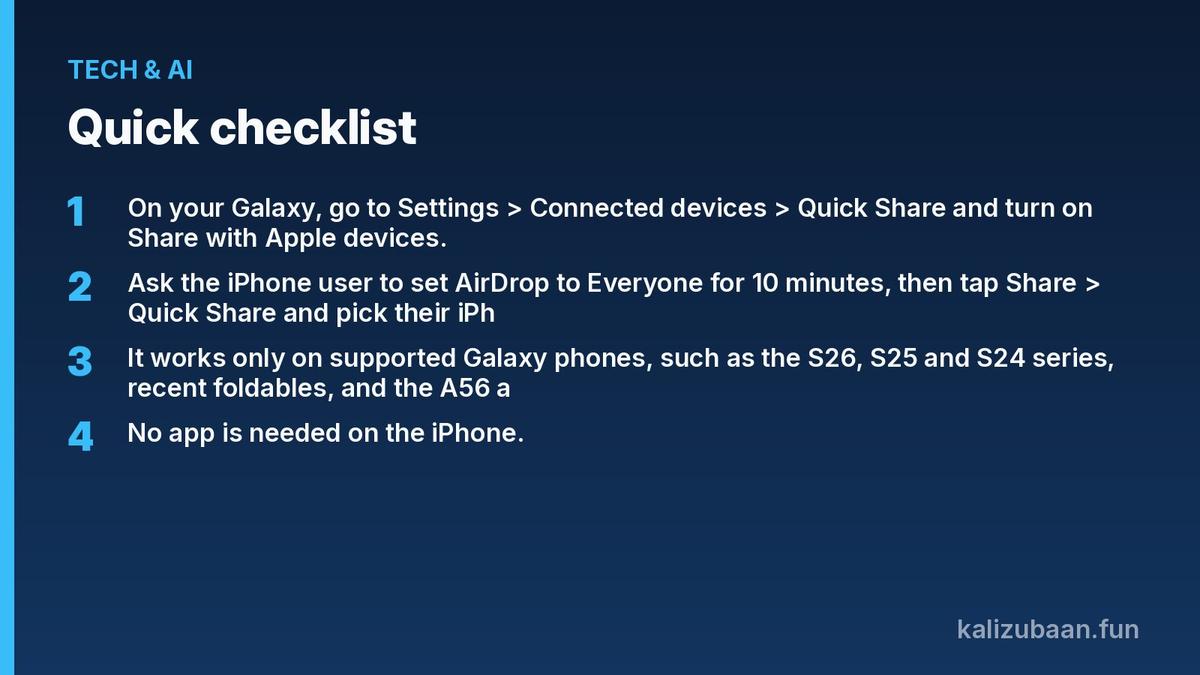
- On your Galaxy, go to Settings > Connected devices > Quick Share and turn on Share with Apple devices.
- Ask the iPhone user to set AirDrop to Everyone for 10 minutes, then tap Share > Quick Share and pick their iPhone.
- It works only on supported Galaxy phones, such as the S26, S25 and S24 series, recent foldables, and the A56 and A57 after One UI 9.
- No app is needed on the iPhone. If your Galaxy is not supported yet, a Quick Share cloud link or QR code still works.
How do you AirDrop from Samsung to iPhone?
Turn on Share with Apple devices in Quick Share, have the iPhone owner set AirDrop to Everyone for 10 minutes, then share the file through Quick Share and choose their iPhone.
Samsung's official steps are short: the recipient turns on AirDrop to "Everyone for 10 minutes", then you open the content, tap Share > Quick Share and select the device (Samsung).
Here is the full routine, step by step:
- Update Quick Share and its related components from the Galaxy Store.
- Open Settings > Connected devices > Quick Share and turn on Share with Apple devices.
- On the iPhone, open Control Center, long-press the AirDrop icon and pick Everyone for 10 minutes.
- On the Galaxy, open the photo or file, tap Share > Quick Share and choose the iPhone.
- The iPhone user taps Accept, and the transfer starts.
On flagship Galaxy phones the toggle is on by default. AndroidPure reports that Galaxyclub also found it switched on after the One UI 9 update on the A56 and A57, but it is still worth checking.
Speed is decent rather than instant. An Android Police writer said an album of more than a hundred pictures, about a gigabyte, took roughly three minutes to move from an iPhone to a Pixel.
Which Samsung phones can AirDrop to iPhone?
Samsung's S26, S25 and S24 series, the S25 FE and S24 FE, the Z Fold and Z Flip 6, 7 and 8 foldables, and the Galaxy A56 and A57 on One UI 9 can share with iPhones.
That list comes from Android Police, which says the feature shipped with Galaxy S26 phones in March and spread to more handsets with One UI 9. GadGeek adds the Galaxy S24 FE.
The mid-range news is the big one for Indian buyers. GadGeek notes the Galaxy A57 sells at around ₹36,999 in India, so this is no longer a feature only for people who spend on a flagship.
Samsung's own support page lags behind. It still says that as of March 2026 the feature ran only on the S26, S26+ and S26 Ultra and would expand to select flagship models.
Source: News18, AndroidPure
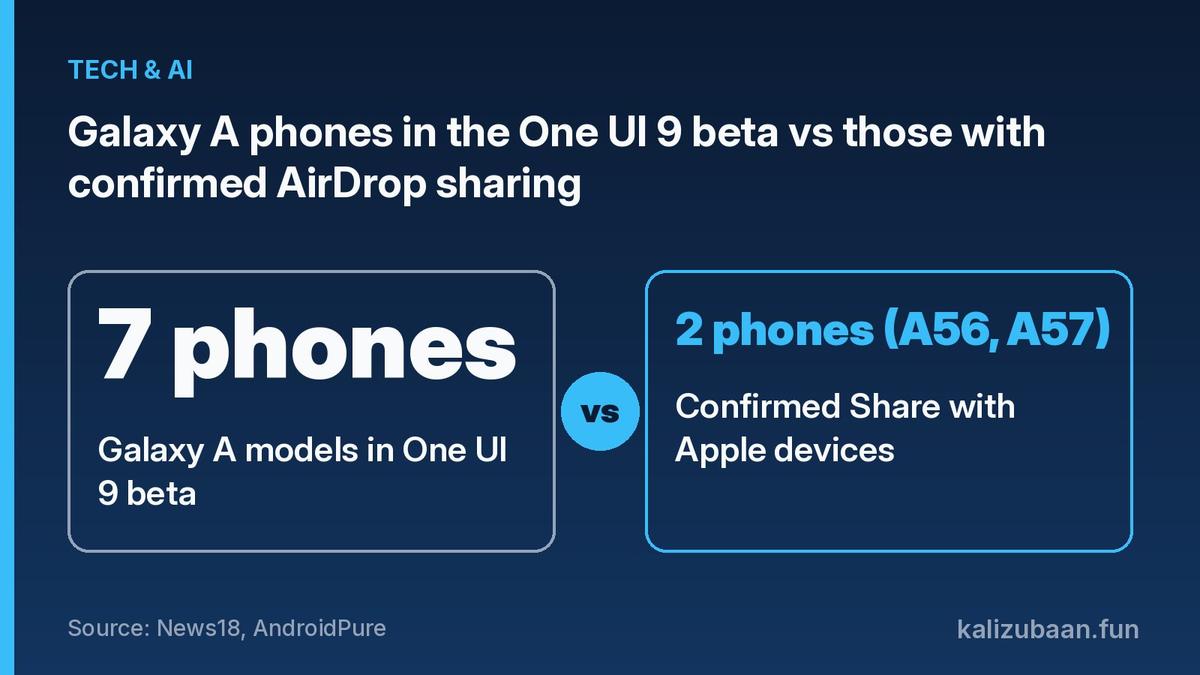
What most guides miss: One UI 9 alone does not unlock AirDrop. News18 lists 7 Galaxy A phones in Samsung's One UI 9 beta, yet only 2 of them, the A56 and A57, have confirmed Share with Apple devices, and Galaxyclub found the A36 and A37 got One UI 9 without it.
Why is Share with Apple devices missing on my Galaxy?
The toggle usually goes missing for one of three reasons: your phone is not supported, it has not received One UI 9 yet, or Quick Share and Google Play Services are out of date.
Samsung says sharing with Apple devices needs Quick Share version 13.8.51.27 or later and Google Play Services 26.11.xx or later (Samsung). Update both from the Galaxy Store and the Play Store first.
Next, check your software. Samsung began the One UI 9 rollout on September 16 with the Galaxy S26 series, and Galaxy S25 Edge owners in India have started receiving it as a download of about 3.4GB (News18). Samsung has not shared a full India schedule, so two people with the same phone can get it on different days.
Older mid-range phones are getting One UI 9 too. SamMobile reports the Galaxy A34 update is rolling out in India as a 2,855.31MB download. None of the reports confirms AirDrop sharing on the A34, so don't expect the toggle there.
To check for the update, go to Settings > Software update > Download and install. News18 suggests Wi-Fi, a charge above 50 per cent and a backup first.
How do you receive files from an iPhone on a Samsung phone?
Keep your Galaxy on the Quick Share receiving screen, or set receiving to Everyone for 10 minutes, and the iPhone user can pick your phone from their normal AirDrop menu.
Samsung's support notes say to keep the phone on the Quick Share receiving screen or switch receiving to "Everyone (Only for 10 minutes)" before the sender shares via AirDrop (Samsung).
On the iPhone side, nothing new is needed. The sender taps Share, chooses AirDrop and selects your Galaxy. GadGeek, citing Gizmochina, says no third-party app, extra account or pairing is required.
If your Galaxy is not supported yet, there is a fallback. Samsung's Quick Share page says you can still share with iOS devices through a QR code or a cloud link sent to contacts.
Is AirDrop on a Samsung phone safe to use?
Yes, for normal use, as long as you switch AirDrop and Quick Share back to contacts-only once the transfer is done, because Everyone mode lets anyone nearby send you files.
That privacy tip comes from AndroidPure, which also notes that Wi-Fi may switch off briefly while the Galaxy searches for Apple devices. Samsung's page carries the same Wi-Fi warning.
The Everyone setting is the catch. GadGeek points out that the Galaxy will not appear if the Apple device is set to contacts only, and that this may not suit some workplaces.
For businesses, Small Business Trends says the feature works only between select Galaxy and compatible Apple devices, and advises testing it before relying on it for customer files or time-sensitive documents.
FAQs
Can I AirDrop from Samsung to iPhone without an app?
Yes. On a supported Galaxy, Quick Share's Share with Apple devices option talks to AirDrop directly, and the iPhone needs no extra app.
Why can't my iPhone see my Samsung phone?
The iPhone's AirDrop is probably set to contacts only. Set it to Everyone for 10 minutes, and make sure Share with Apple devices is on in Quick Share.
Does the Galaxy A36 support AirDrop?
Not so far. Galaxyclub found the A36 and A37 received One UI 9 without the Share with Apple devices option, according to AndroidPure.
Will more Samsung phones get AirDrop support?
Probably, but there is no official date. Reports say more Galaxy A models may get it as the One UI 9 rollout continues, without a device list from Samsung.
Expert review: pending.
This is a how-to explainer based on Samsung's support page and publisher reports. Device support and rollout timing vary by model and region and may change; check Quick Share settings on your own phone before relying on it.
Related reading
- ₹17,999 After Offer: Is the Samsung Galaxy F70 5G Worth It?
- ₹1 Lakh Over MRP: Inside the iPhone Duo Sale Shortage in India
- 15 Seconds Back: iOS 27.3 Beta Features, Siri AI, Live Rewind
Sources
- Samsung: Quick Share, Apps & Services
- Android Police: Samsung's Galaxy A devices can now AirDrop to iPhones after the One UI 9 update
- News18: One UI 9 Update: Galaxy Phones Getting Android 17 In India
- AndroidPure: Galaxy A56 and A57 Can Now AirDrop to iPhones With One UI 9
- GadGeek: Galaxy A57, A56 Get AirDrop Support via One UI 9.0
- SamMobile: Galaxy A34 One UI 9.0 (Android 17) update goes global
- Small Business Trends: Samsung Makes Quick Share AirDrop-Compatible Across Galaxy and iPhone
Tagged Topics
Keep reading



Thanks for reading Kali Zubaan
Explore more articles in Tech & AI or return to the main publication feed.