Earn Up to 70% on Amazon KDP Between $2.99 and $12.99
Mint explains how Amazon Kindle Direct Publishing lets you publish with no upfront fee and choose 70% or 35% royalties inside set dollar price bands.
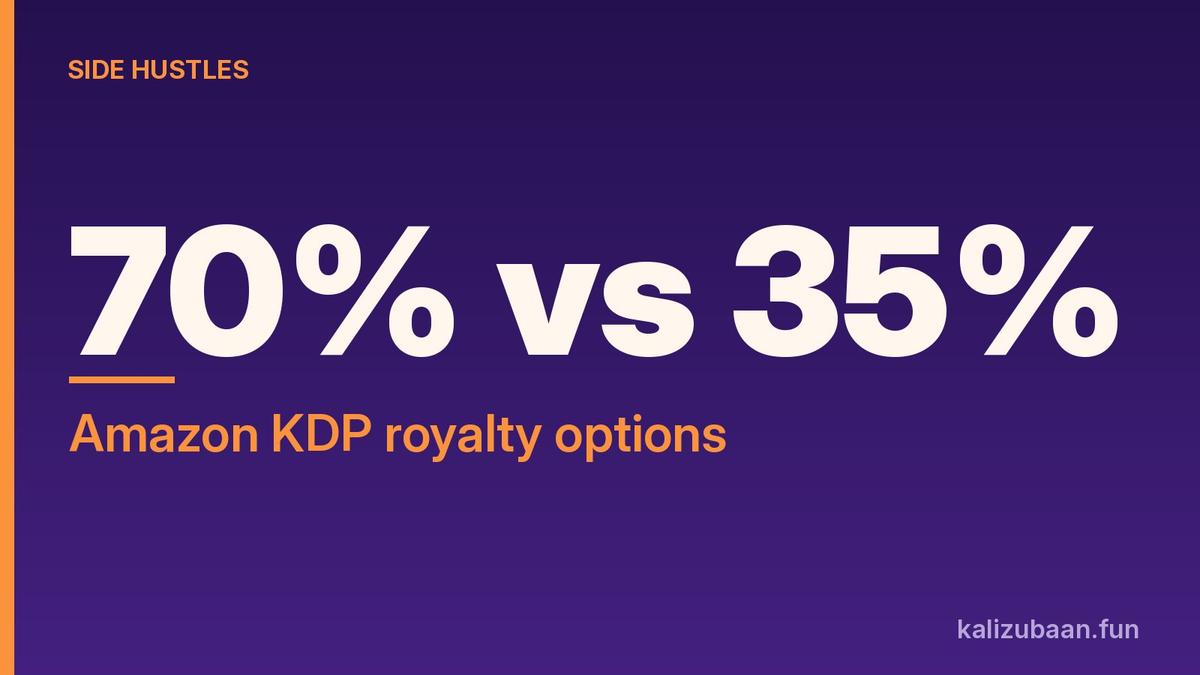
You can publish an eBook, paperback, or hardcover on Amazon Kindle Direct Publishing without paying an upfront publishing fee. Mint's guide says the royalty choice is the real fork: up to 70% of sales inside a $2.99 to $12.99 price band, or 35% across a much wider $0.99 to $200 range.
That is the side-hustle pitch in one line. No printer invoice to start. Earnings arrive only when readers buy, and the percentage you keep depends on the price band you pick.
Quick answer
- Amazon KDP lets writers publish eBooks, paperbacks, and hardcovers without upfront publishing fees.
- The 70% royalty option applies when you price between $2.99 and $12.99; a delivery charge is applied.
- The 35% option has no delivery charge and allows prices from $0.99 to $200.
- Mint says choose 70% for higher revenue, but notes a higher price can scare readers away from a new writer.
- Results vary; nothing here is a promise of income.
What Amazon KDP actually is
Mint frames KDP as a way around the old gate. You do not need a traditional publisher's approval or a print run to begin. You prepare a manuscript, upload accepted formats, set a price, and earn royalties when copies sell.
Accepted eBook formats include Word documents, EPUB files, and PDFs. Mint adds that Amazon prefers the other two formats to PDFs. Free tools such as Kindle Create help arrange chapters, contents pages, and paragraph margins. For paperbacks, you still have to check page dimensions, margins, and page numbers. KDP's free templates can help with layout.
English is the most-preferred language for Amazon KDP, though Mint notes Amazon lists other accepted languages as well. That matters for Indian writers who can publish in English for a global storefront while still writing for readers at home.
The royalty fork, with Mint's numbers
After files are ready, Mint says you decide on price and review royalty options.
You can earn up to 70% of your sales. For that option, a delivery charge is applied. You can choose any price between $2.99 and $12.99 for your book.
Amazon KDP also offers an option to earn 35% of the sale price. There is no delivery charge, and the book's price can be much lower. For that option, you can choose any price between $0.99 and $200.
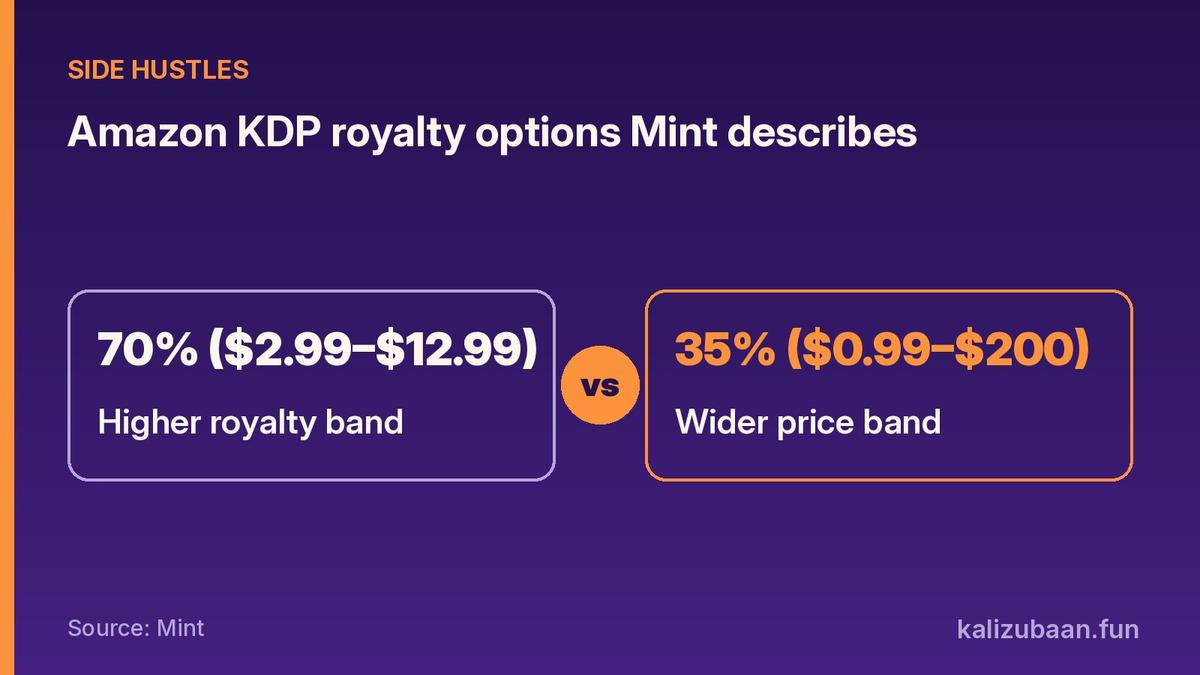
Source: Mint
Mint's advice for higher revenue is to choose the 70% option. In the same breath, it warns that a higher price may work against a new writer, because readers could hesitate to pay more for an unknown name. That tension is the useful part of the explainer. The maximum percentage is not automatically the best first listing price.
Step-by-step: how Mint says to get a book live
Prepare the manuscript. Read chapters and fix spelling, grammar, and unclear sentences. Mint suggests grammar tools as support, not as a substitute for a real pass. Time spent editing is how you present a polished book.
Organise pages so the book is comfortable to read. Use Kindle Create or KDP templates where they help. For paperbacks, verify dimensions and margins before you upload.
Create a cover that stays readable as a small image on a phone screen. Mint points to Canva's free book cover templates. Title and author name should be easy to spot at thumbnail size.
Visit the official KDP website and sign in with Amazon account details. Complete the author profile and tax information. Add banking details so earnings can be deposited.
Select Create and choose eBook or paperback. Enter title, subtitle, and author name. Write a clear description of what readers can expect. Mint says to treat that description like the introduction printed on a book's back cover.
Choose categories and up to seven keywords. Those details help readers find the book when searching for subjects or genres. Pick words that accurately describe the content. Upload manuscript and cover, then use KDP's previewer. Fix formatting before you hit publish.
Optionally enrol the eBook in KDP Select so Kindle Unlimited subscribers can read it. Mint notes earnings then depend on how many pages subscribers read.
Finally, check details, files, and price. KDP flags formatting issues so you can fix and re-upload. After publishing, daily sales appear in the Reports section. Amazon Ads is available if you want paid promotion across marketplaces.
Why this shows up as an India side hustle
The zero upfront publishing fee removes the classic cash barrier. A writer in Indore or Kochi can list an English eBook for global readers without paying a local printer first. Royalties are still denominated in the storefront's currency rules Mint describes in dollars, so Indians should expect to handle forex, tax forms, and payout banking as part of setup.
The hustle is not passive. Editing, cover design, keywords, and a sensible price take work. Mint's piece is a how-it-works guide, not a claim that every book earns a living wage.
Mistakes and traps to avoid
Uploading a messy PDF when cleaner EPUB or Word files would preview better. Mint says Amazon prefers the other formats to PDFs.
Writing a vague description. The description is your back-cover pitch. Weak copy hides a good manuscript.
Stuffing irrelevant keywords. Mint says to pick words that accurately describe the content. Misleading keywords create refunds and bad reviews.
Assuming 70% always wins. Inside $2.99 to $12.99 you get the higher rate, but a new author may sell more copies at a lower 35% price. Run the math on your niche before you lock a number.
Ignoring tax and banking setup. Mint lists tax information and banking details as required before earnings deposit. Skipping them blocks payouts.
Treating KDP Select page reads as the same as a full-price sale. Mint separates that path: earnings depend on pages read inside Kindle Unlimited.
Tax and legal note
Royalty income is generally taxable in India. Amazon will ask for tax information during account setup. This article is information only. Speak with a chartered accountant about TDS, foreign income reporting, and whether a GST registration applies to your volume.
If you write while employed full time, check moonlighting and intellectual-property clauses before you publish under your own name.
FAQs
Is publishing on KDP really free? Mint says KDP lets writers publish without upfront publishing fees. You still invest time, and optional costs like paid editing, a designer, or Amazon Ads are separate choices.
Should a new writer pick 70% or 35%? Mint recommends 70% when you want higher revenue per sale inside the $2.99 to $12.99 band, and warns a higher price can deter readers. Many first books test a lower entry price under the 35% option. There is no single correct answer in the article.
How many keywords can I add? Up to seven, according to Mint.
Can I publish paperback and hardcover too? Yes. Mint lists eBook, paperback, and hardcover as formats you can offer.
Results vary; nothing here is a promise of income.
If you published tomorrow, would you price inside the 70% band or start cheaper under 35%?
Sources
Tagged Topics
Keep reading
Thanks for reading Kali Zubaan
Explore more articles in Side Hustles or return to the main publication feed.